Budget & Expense Splitter
Four money tools that do the working out for you.
The Budget & Expense Splitter is a set of four money tools that share one thing: you drop your data in (or type it), and the agent does the arithmetic. Read a pile of statements into a spending report, model your cashflow against a cash goal, settle up shared bills with a group, or work out a fair contribution split between partners. Every tool reads bank statements, invoices, and spreadsheets (CSV, Excel, PDF); manual entry is always there as a fallback.
What you might use it for:
- A fair split of the household bills: you and your partner earn differently, and fifty-fifty never felt right. Fair Share weights the split by what each of you actually takes home.
- A spending report from a messy statement: drop a bank export into Expense Report and get it categorised, no spreadsheet formulas required.
Who it is for: anyone splitting money with someone else, or trying to get a clear picture of their own, without building a spreadsheet to do it.
Where to find it: the sidebar, under Money: Budget & Expense Splitter
(/budget-expense-splitter).
Watch first: budget-expense-splitter.mp4 (captions toggleable in your player, or load budget-expense-splitter.srt). The screen is a real recording of the product; the narration is an AI-generated voice. The video walks through Fair Share; the other three tools are described below.
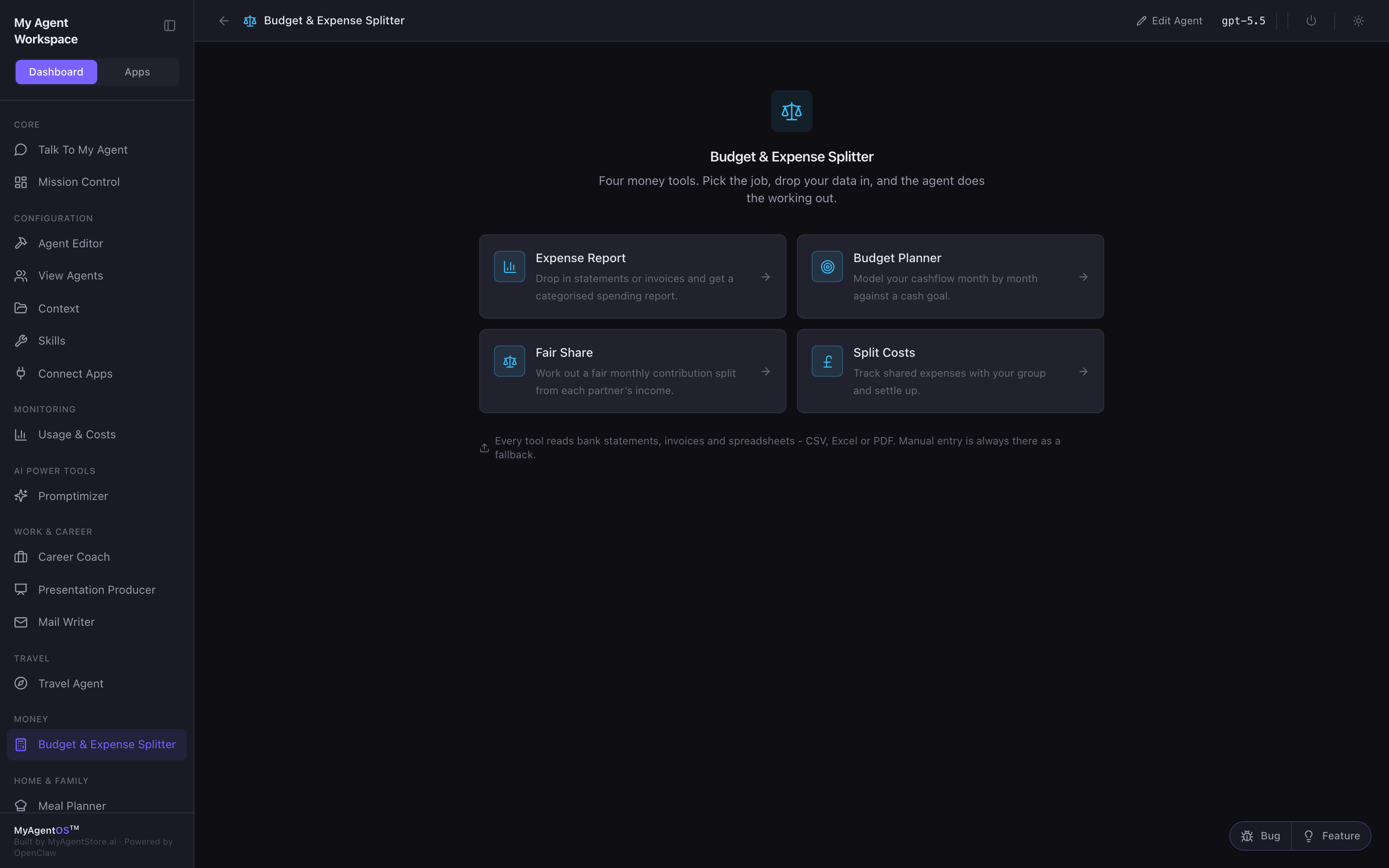
The four tools
| Tool | What it does |
|---|---|
| Expense Report | Drop in statements or invoices and get a categorised spending report. |
| Budget Planner | Model your cashflow month by month against a cash goal. |
| Fair Share | Work out a fair monthly contribution split from each partner's income. |
| Split Costs | Track shared expenses with your group and settle up. |
Fair Share: a fair split by income
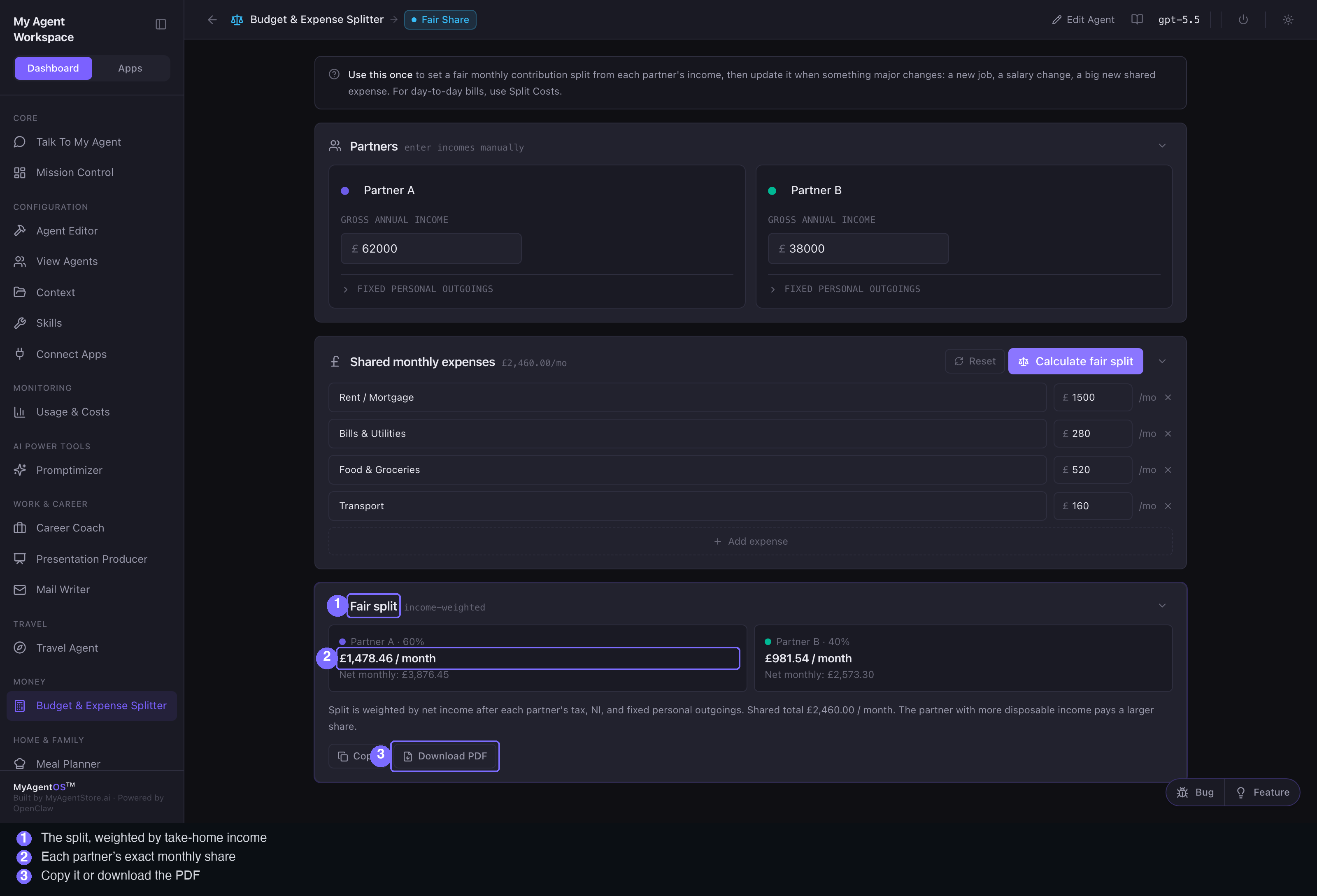
Use this once to set a fair monthly contribution split, then update it when something major changes (a new job, a salary change, a big new shared expense). For day-to-day bills, use Split Costs.
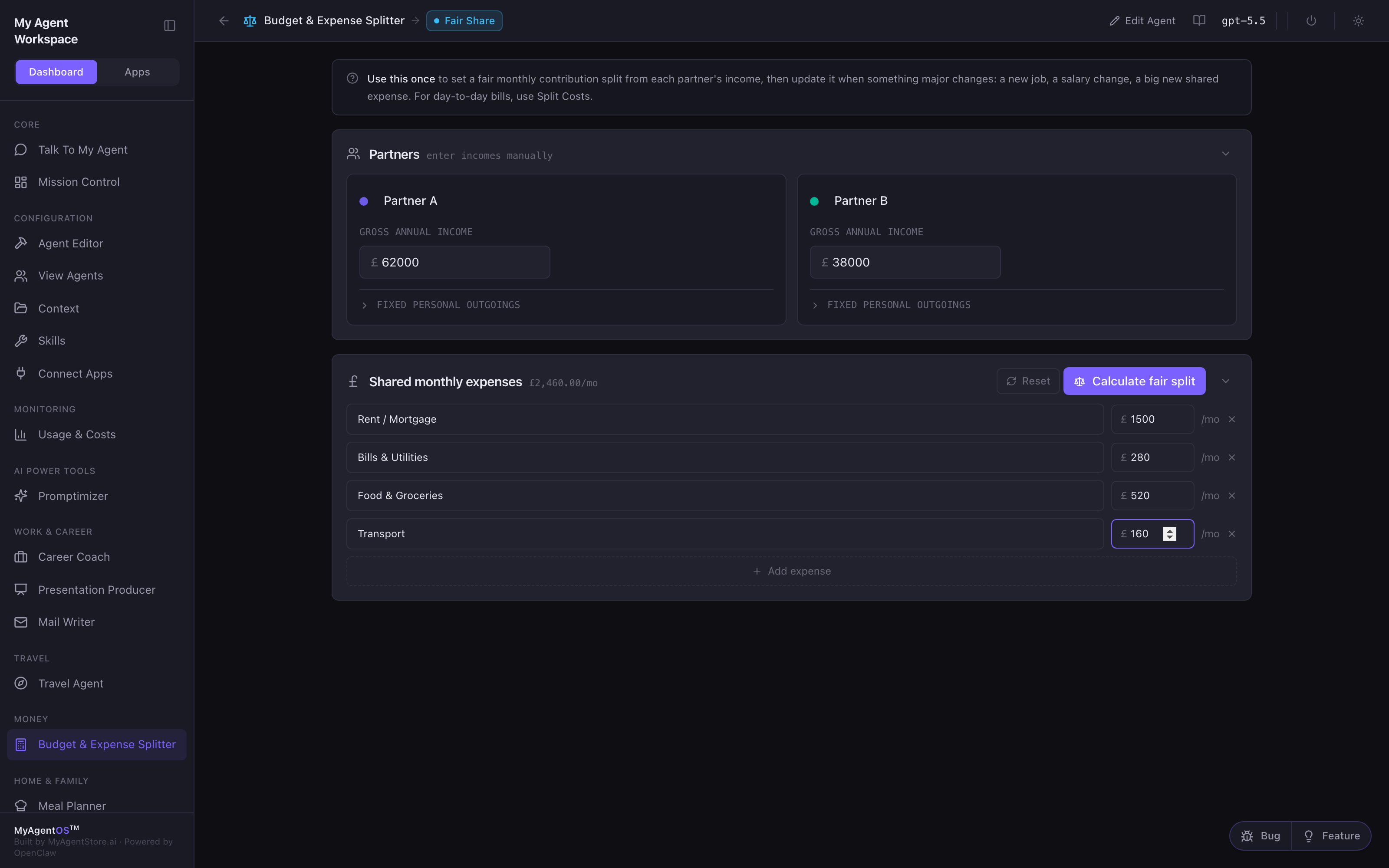
- Enter each partner's gross annual income. Optionally open Fixed personal outgoings to account for what each person is already committed to.
- Fill in the shared monthly expenses (rent, bills, food, transport, and any you add).
- Click Calculate fair split.
The result is income-weighted: the split is based on what each partner actually takes home after tax, National Insurance, and their fixed personal outgoings, not on gross pay and not fifty-fifty. The partner with more disposable income pays the larger share. You get each partner's percentage and exact monthly amount, with a plain-English explanation. Copy it or Download PDF to keep a record.
The other three tools
- Expense Report: drop in bank statements or invoices and the agent categorises your spending into a report.
- Budget Planner: type your starting cash, income, and spending (or upload a statement and a payslip), set a cash goal like "stay above £2,000", and the agent projects your balance month by month with a status for each.
- Split Costs: track shared expenses across a group over time and settle up who owes whom. (Fair Share sets the split once; Split Costs runs the day-to-day ledger.)
Limits and FAQ
Where do the numbers come from? Fair Share is a direct calculation over the figures you enter, so its output is deterministic, not a model guess. The tools that read documents use the model to extract and categorise; always sanity-check an imported figure against your own statement.
Is the tax and NI estimate exact? The take-home weighting uses standard assumptions to turn gross pay into disposable income; treat it as a fair, transparent basis for splitting, not a payroll calculation.
Can it read my bank statement? Yes: CSV, Excel, and PDF. Manual entry is always available as a fallback.
Which model does the reading? Whichever model the lane is configured to use (visible in the top bar). Fair Share itself needs no model call.