Mail Writer
Tell it what to say; get a letter or email drafted in your voice.
The Mail Writer turns an objective into a finished draft: a letter or an email, in the tone you choose, ready to copy or edit. The only thing it needs is the objective; sender, recipient, key points, and tone are optional and make the draft more tailored. Once a draft exists, you refine it by talking to the agent rather than re-filling the form.
What you might use it for:
- Chasing an overdue invoice: give it the objective ("chase the March invoice, polite but firm about a payment date"), the supplier's name, and a professional tone, and it drafts the whole thing.
- A note you have been putting off: describe what you want to say and the relationship, and it finds the words, warm or formal, as you prefer.
Who it is for: anyone who knows what they need to say but would rather not draft it from a blank page, and who wants the result to sound like them.
Where to find it: the sidebar, under Work & Career: Mail Writer
(/letter-writer).
Watch first: letter-writer.mp4 (captions toggleable in your player, or load letter-writer.srt). The screen is a real recording of the product; the narration is an AI-generated voice.
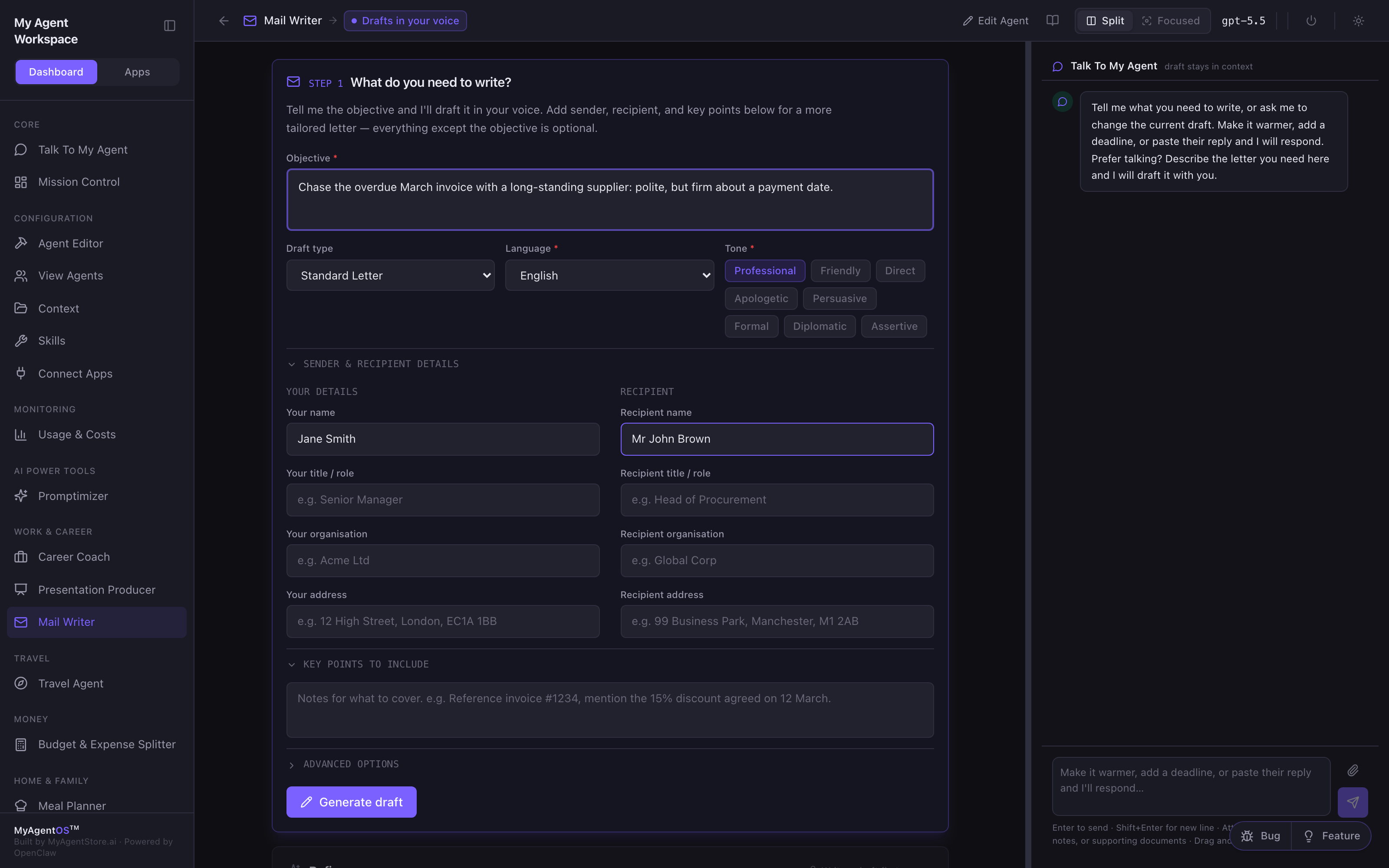
Write the objective
Step 1 is the intake. Only the objective is required:
- Objective: what the letter should achieve, in a line or two. This is all the agent needs to produce a draft.
- Draft type: standard letter, email, and other formats.
- Language and Tone: pick a tone chip (Professional, Friendly, Direct, Apologetic, Persuasive, Formal, Diplomatic, Assertive) to steer the register.
- Sender & recipient details (optional): names, titles, organisations, and addresses, for a properly addressed letter.
- Key points to include (optional): specifics to reference, such as an invoice number or an agreed discount.
Click Generate draft.
Read and edit the draft
The agent writes the whole letter, greeting to sign-off, and shows it in the Draft panel. From there you can:
- Copy the draft to your clipboard.
- Edit it in place if you want to change a line yourself.
- Regenerate if you want a fresh take.
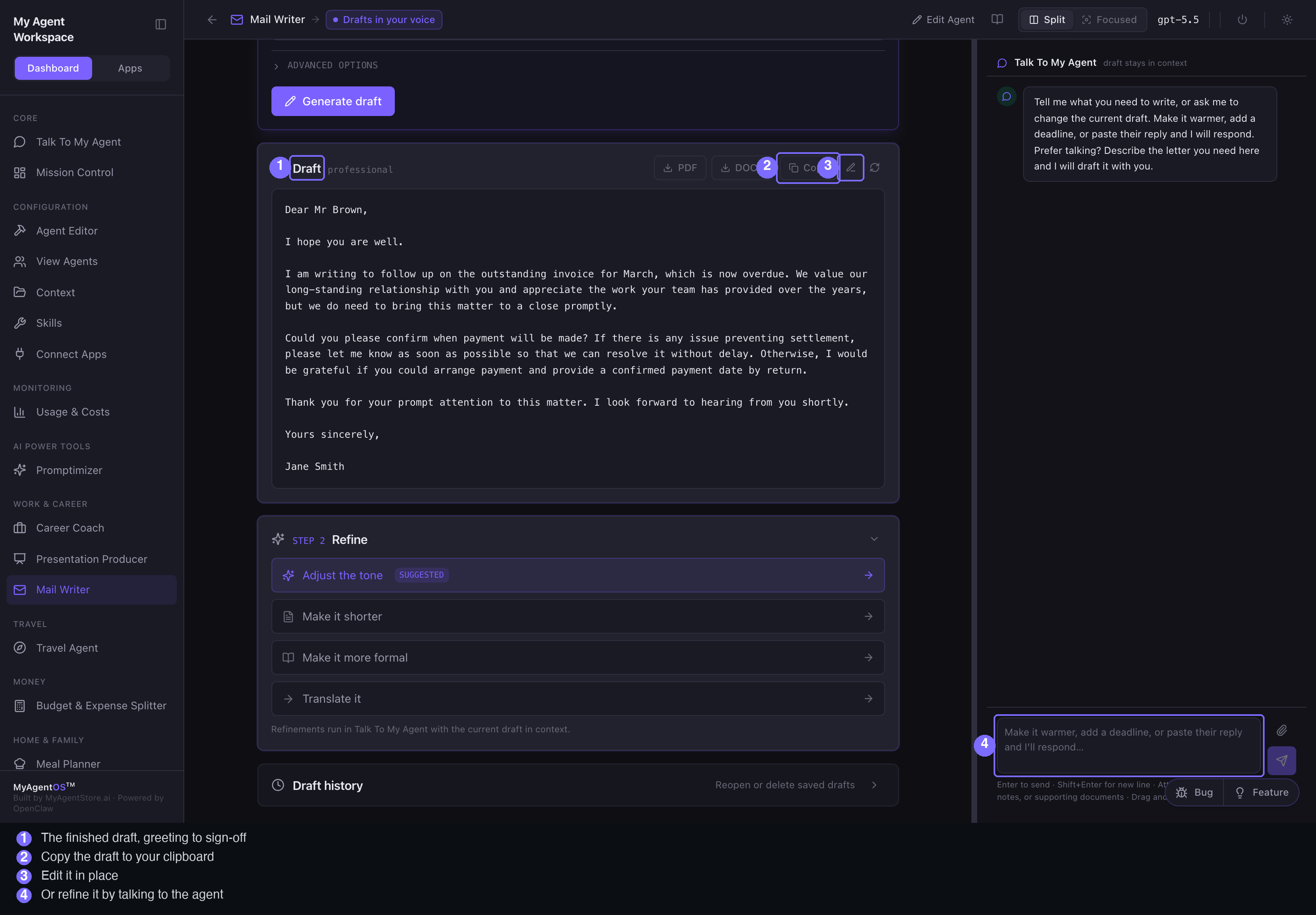
Refine it by talking
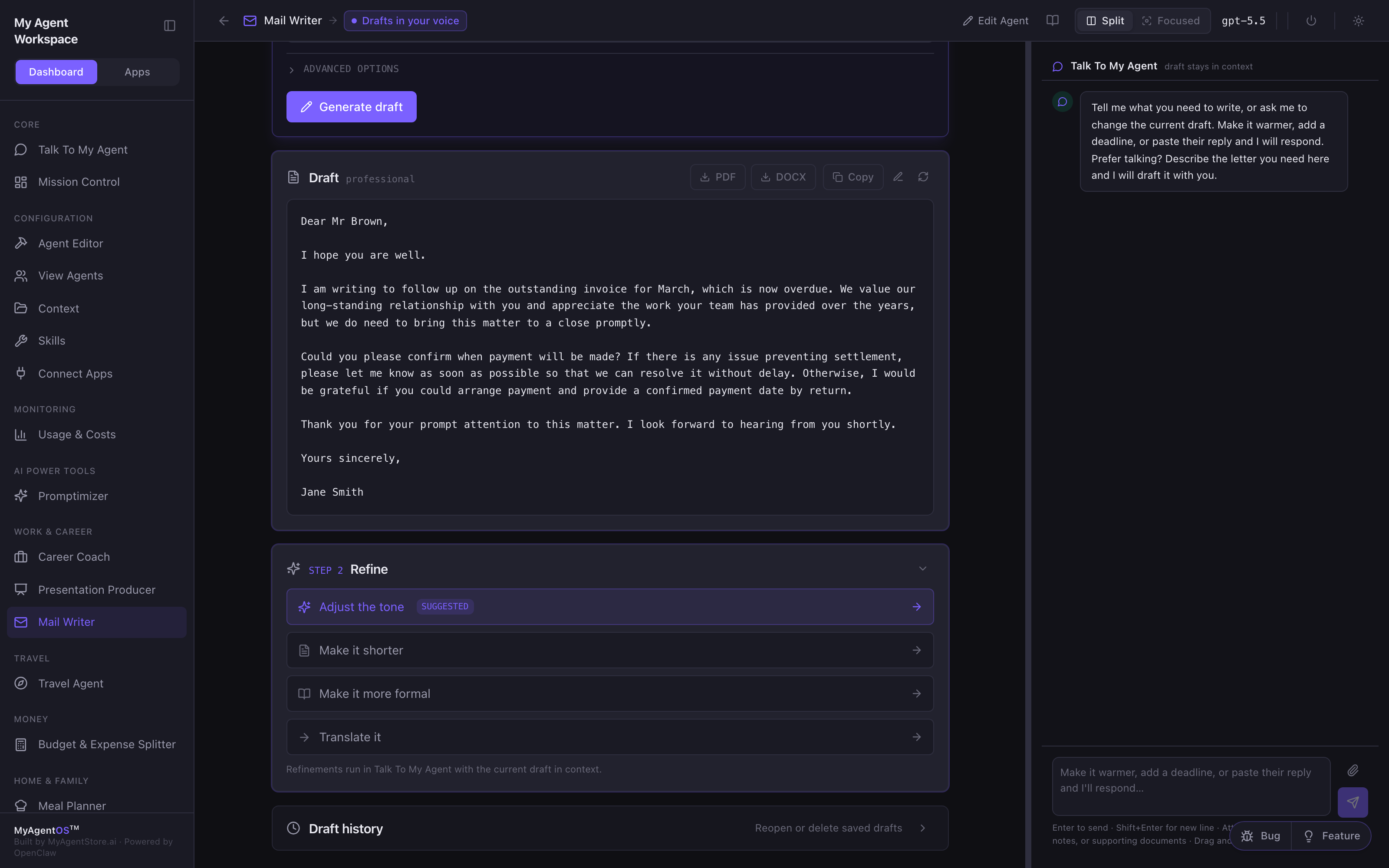
The panel on the right keeps the current draft in context, so you shape it in words rather than re-filling the form:
- "Make it a little warmer."
- "Add a deadline: end of the month."
- "Paste their reply" and it drafts your response (attach files with the paperclip if you need to).
Each change builds on the last draft rather than starting over, and your recent drafts are kept in the history so you can step back to an earlier version.
Limits and FAQ
Does it send anything? No. The Mail Writer drafts; sending is up to you. It produces text you copy or edit, not an email it dispatches on your behalf.
Will the draft sound generic? The more you give it, the more tailored it is: a tone, the relationship, the key points, and any specifics like names and figures. The objective alone gets you a solid first draft; the optional fields get you closer to your own voice.
Which model writes it? Whichever model the lane is configured to use (visible in the top bar).