Career Coach
Four tools for your next move, sharing one set of materials.
The Career Coach is a workspace for a job move, not a single chatbot. It gives you four tools that draw on the same materials: your CV, your notes, the job specs you care about. Add something in one tool and the others can use it, so you brief the agent once rather than re-explaining yourself at every step.
What you might use it for:
- Thinking a move through: you are a marketing manager weighing a shift into product management. Career Advisor talks through what carries over, the gaps to close, and a realistic first step.
- Preparing one application properly: paste the job spec into CV Writer & Job Fit, and the agent assesses your fit, flags missed requirements, tailors your CV, and drafts a cover letter, every claim traceable to something you gave it.
Who it is for: anyone in a job search or a career change who wants steady, grounded help rather than generic advice, and who would rather keep their CV, notes, and target roles in one place.
Where to find it: the sidebar, under Work & Career: Career Coach
(/career-cv-coach).
Watch first: career-cv-coach.mp4 (captions toggleable in your player, or load career-cv-coach.srt). The screen is a real recording of the product; the narration is an AI-generated voice.
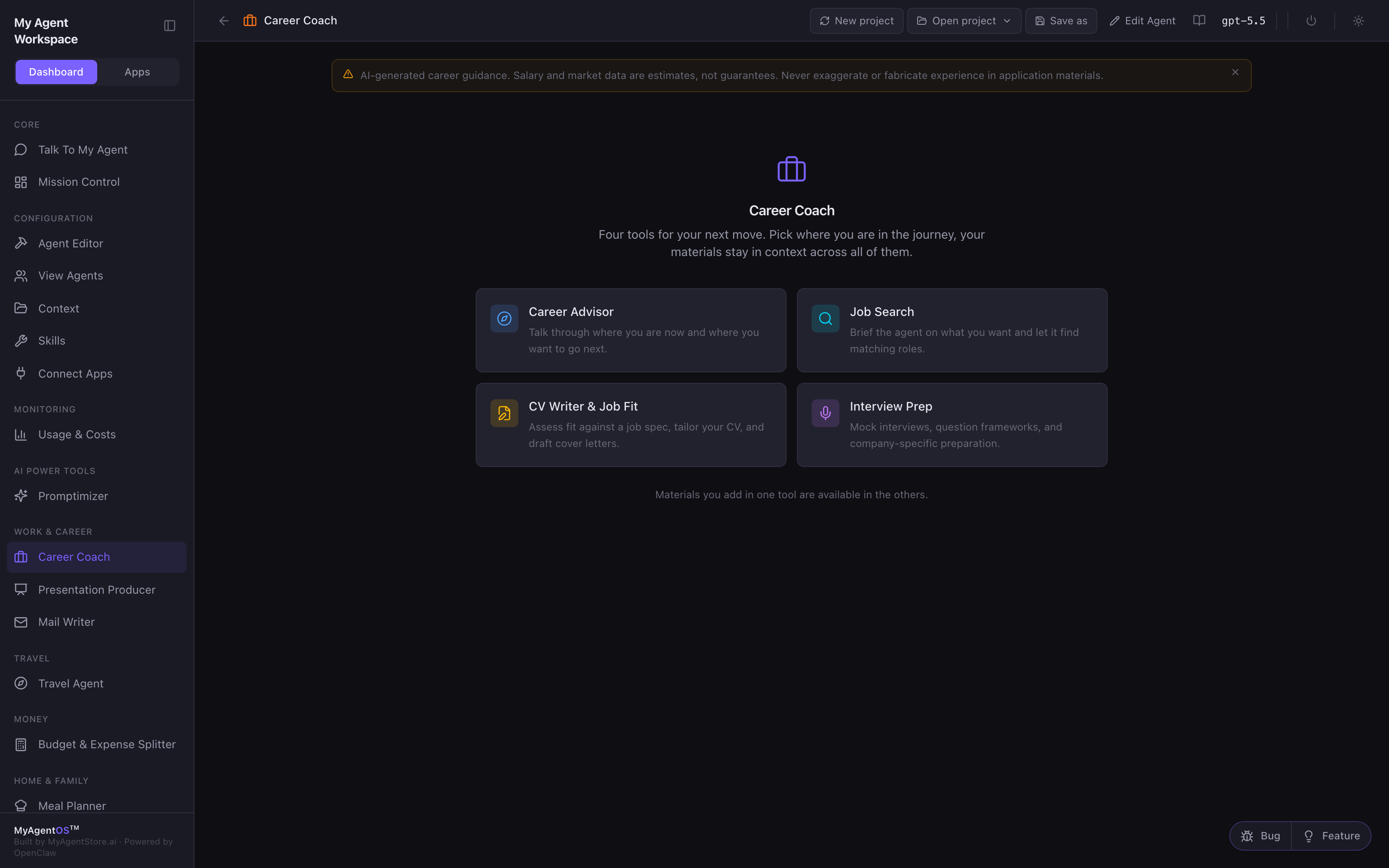
The four tools
From the hub, pick where you are in the journey. Your materials stay in context across all four.
| Tool | What it does | When to use it |
|---|---|---|
| Career Advisor | Talks through where you are now and where you want to go next. | Exploring a move, weighing direction. |
| Job Search | Briefs the agent on what you want and sets a recurring search for matching roles. | Once you know the shape of the role you want. |
| CV Writer & Job Fit | Assesses fit against a job spec, flags missed requirements, tailors your CV, and drafts cover letters. | Preparing a specific application. |
| Interview Prep | Runs mock interviews, builds question frameworks, and prepares company-specific talking points. | Once an interview is booked. |
Talk it through: Career Advisor
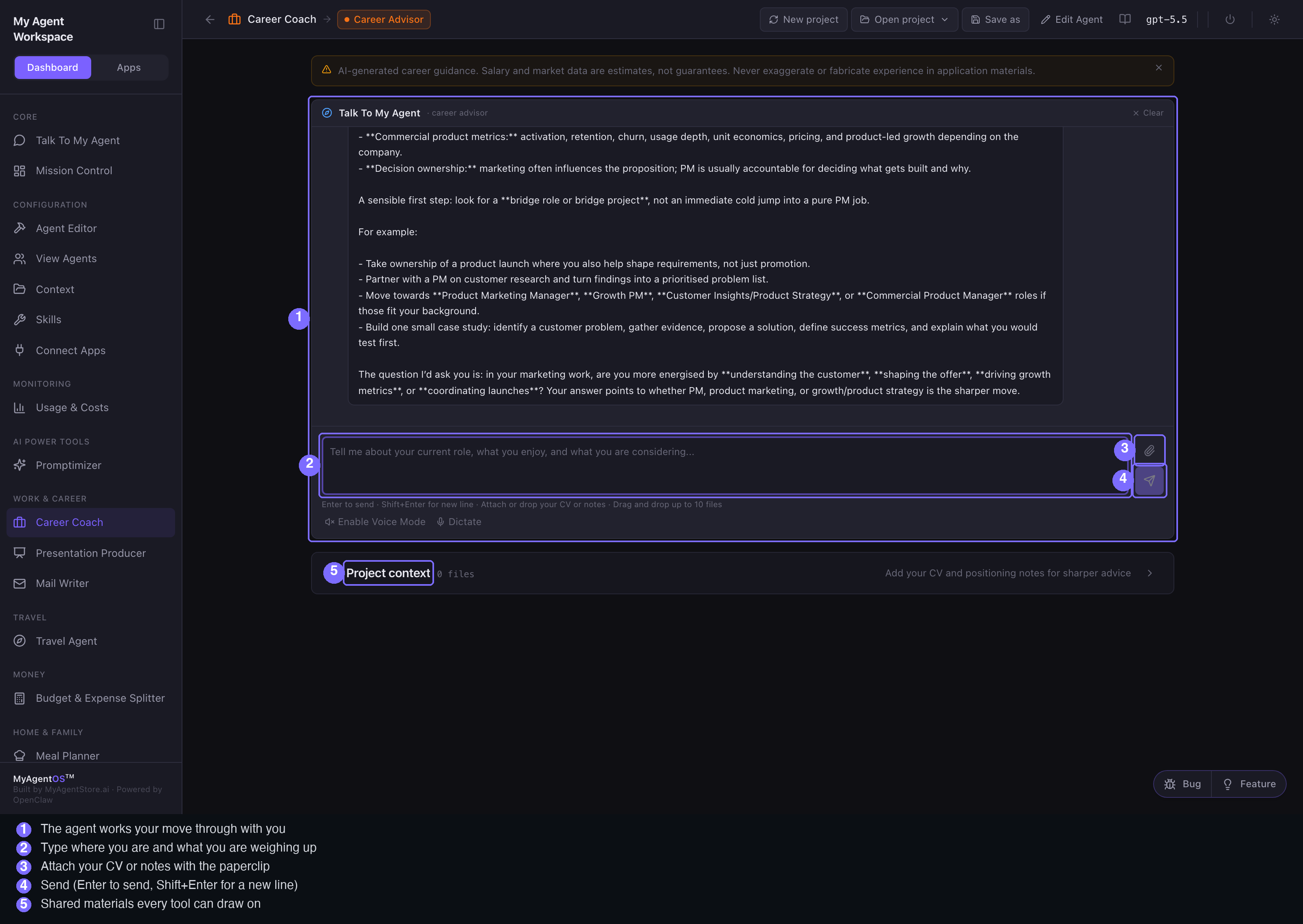
- From the hub, open Career Advisor. The conversation is the point: type where you are and what you are weighing up, then send (Enter to send, Shift+Enter for a new line).
- The agent works it through with you: the skills that transfer, the gaps to close, and a sensible first step, asking for the context it needs rather than guessing.
- Attach your CV with the paperclip, or drop files onto the composer. From then on, the advice is anchored to what you have actually done, not a generic template.
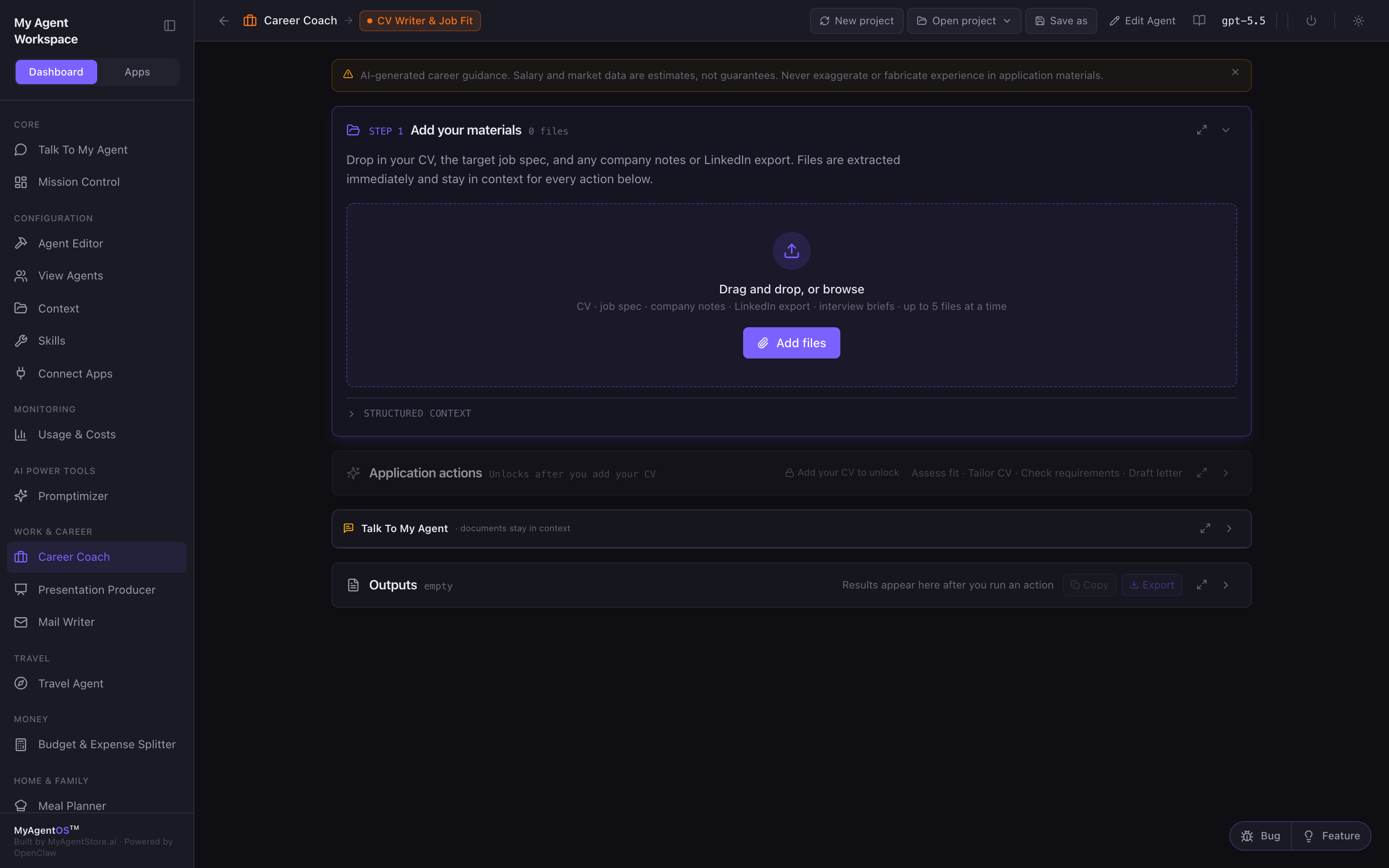
Prepare an application: CV Writer & Job Fit
Add your source materials first: your CV, the target job specification, company notes, and any previous cover letters. Then the agent can:
- Assess fit against the spec and give you an honest read.
- Check missed requirements you have not addressed.
- Tailor your CV to the role.
- Draft a cover letter.
Every claim it writes must trace back to something you provided, and something you could defend in an interview. It will not invent experience to fill a gap.
Keep the hunt running: Job Search
Brief the agent on the roles you want, the locations or working pattern, and your must-haves. Upload job descriptions you already like as pattern examples, then save a recurring search so the agent keeps looking on a schedule and uses your preferences each time it runs.
Get interview-ready: Interview Prep
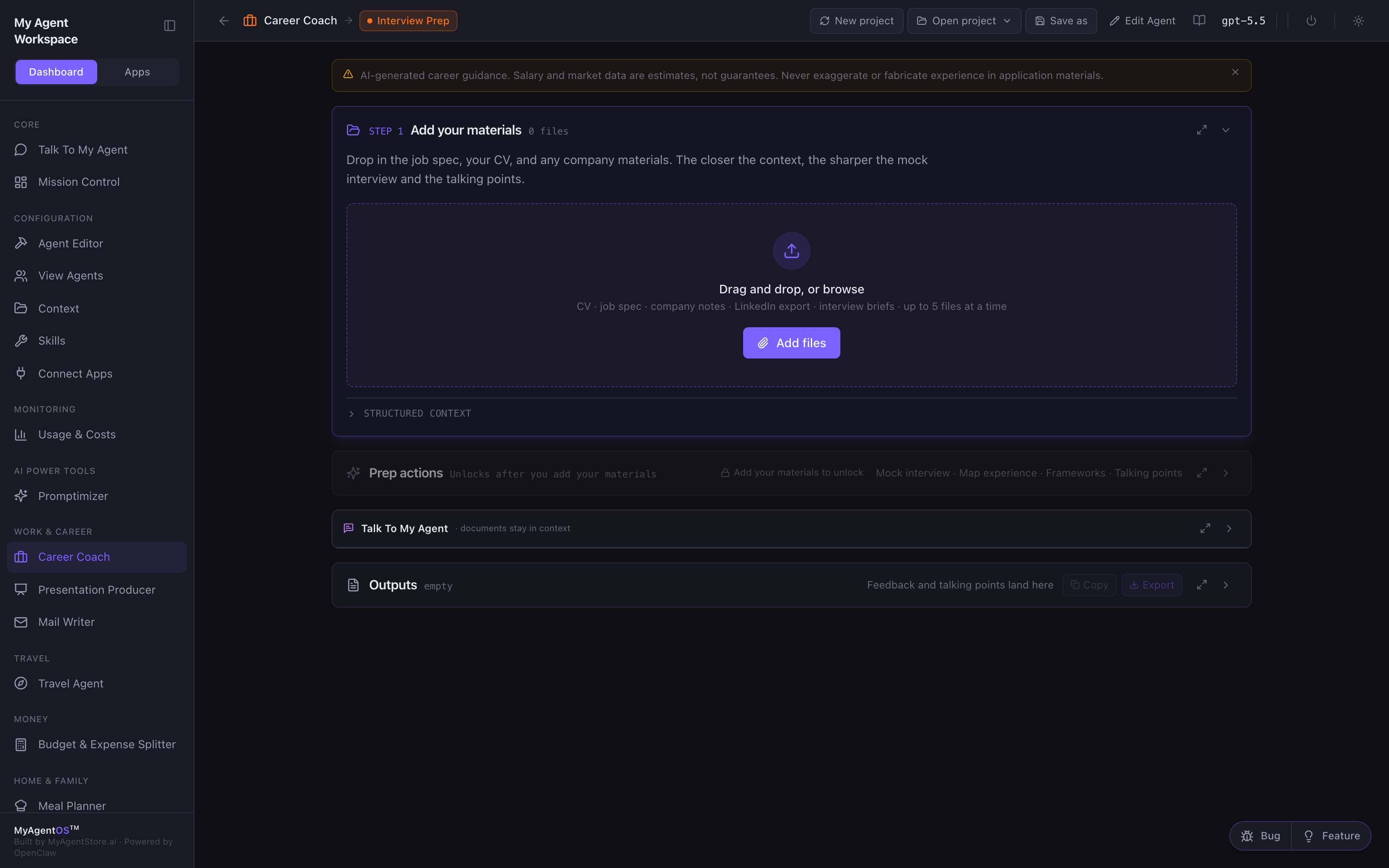
Share the job spec and your CV, then choose how to prepare: a mock interview where the agent role-plays the interviewer and gives you feedback, question frameworks grouped by type, or company talking points built from documents you share.
Projects and shared materials
- New project starts a fresh workspace; Open project switches between saved ones; Save as stores the current work under a name.
- Everything you add, CV, notes, job specs, is shared across the four tools within a project, so you brief the agent once.
Limits and FAQ
Will it exaggerate my experience to help me get the job? No. This is the one rule the agent holds throughout: every claim in your materials must be traceable to something you provided and something you can defend. The banner at the top says it plainly, salary and market figures are estimates, and you should never fabricate experience in an application.
Does it send my CV anywhere? Your materials stay in your workspace and are used as context for the model calls your agent runtime makes, using the model shown in the top bar. Nothing is submitted to any employer on your behalf.
Do the tools share what I add? Yes, within a project. Add your CV in Career Advisor and CV Writer & Job Fit can use it; add a job spec there and Interview Prep can prepare you for it.