Contracts Review
Paste a contract, get a risk score, a verdict, and the clauses to negotiate.
Contracts Review reads a contract the way a careful reviewer would: a systematic pass across ten review areas, returning a risk score out of 100, a plain verdict, and key findings rated high, medium, or low, each tied to the clause it came from. It provides contract information, not legal advice.
What you might use it for:
- Before you sign a tenancy agreement: run the review, see the deposit and notice clauses rated, and ask for negotiation points.
- An NDA that "looks standard": check for the exposures hiding in the wording before taking anyone's word for it.
Who it is for: anyone signing things: renters, freelancers, founders, and employees who want to understand a contract before agreeing to it.
Where to find it: the sidebar, under Legal: Contracts Review
(/contracts-review).
Watch first: contracts-review.mp4 (captions toggleable in your player, or load contracts-review.srt). The screen is a real recording of the product; the narration is an AI-generated voice.
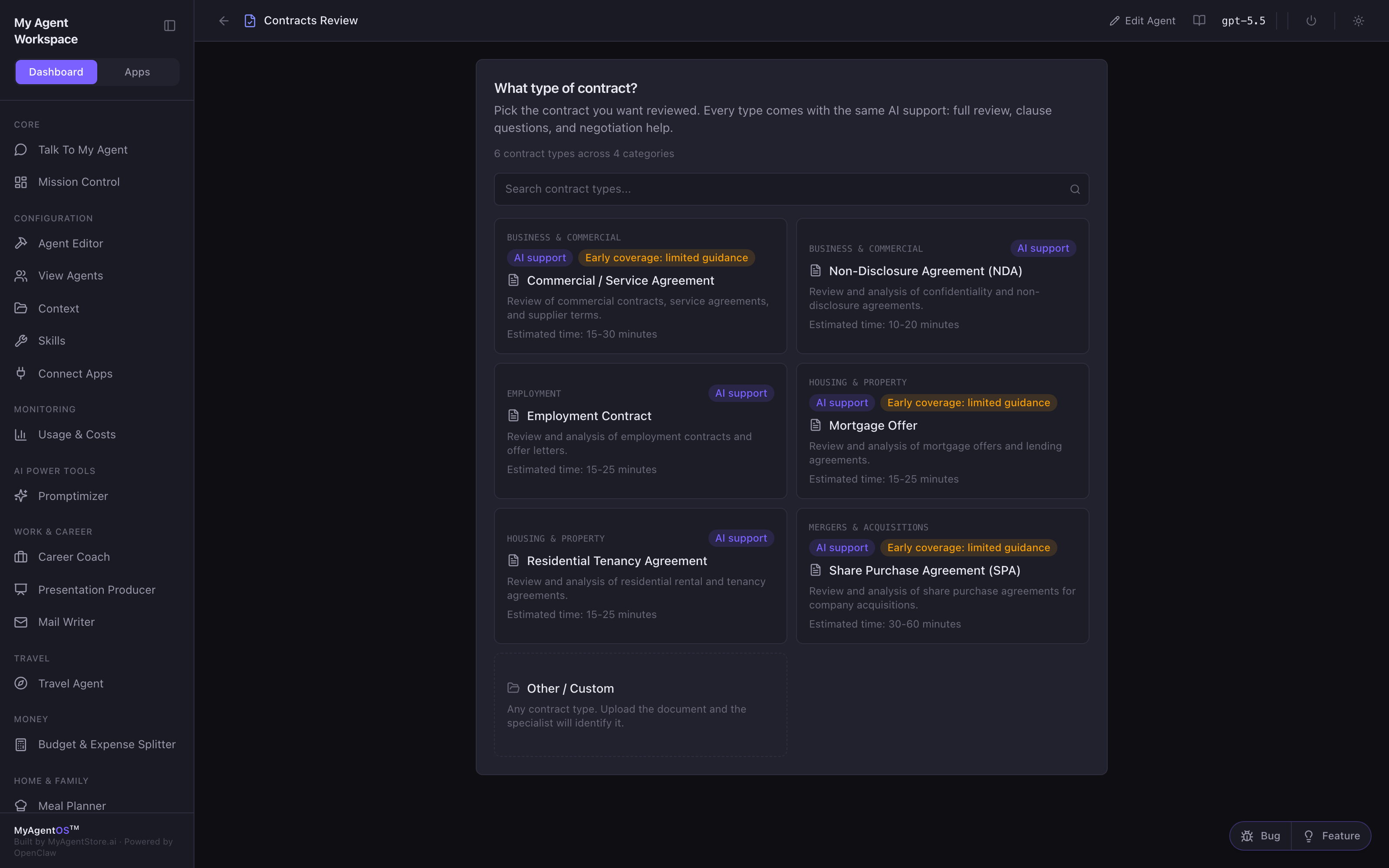
Pick the contract type
The picker asks What type of contract? and lists the types across business, M&A, housing, and employment: an NDA, a tenancy agreement, an employment contract, a commercial agreement, and more. Every type gets the same AI support: full review, clause questions, and negotiation help. Not listed? Other / Custom takes any document and the specialist identifies it.
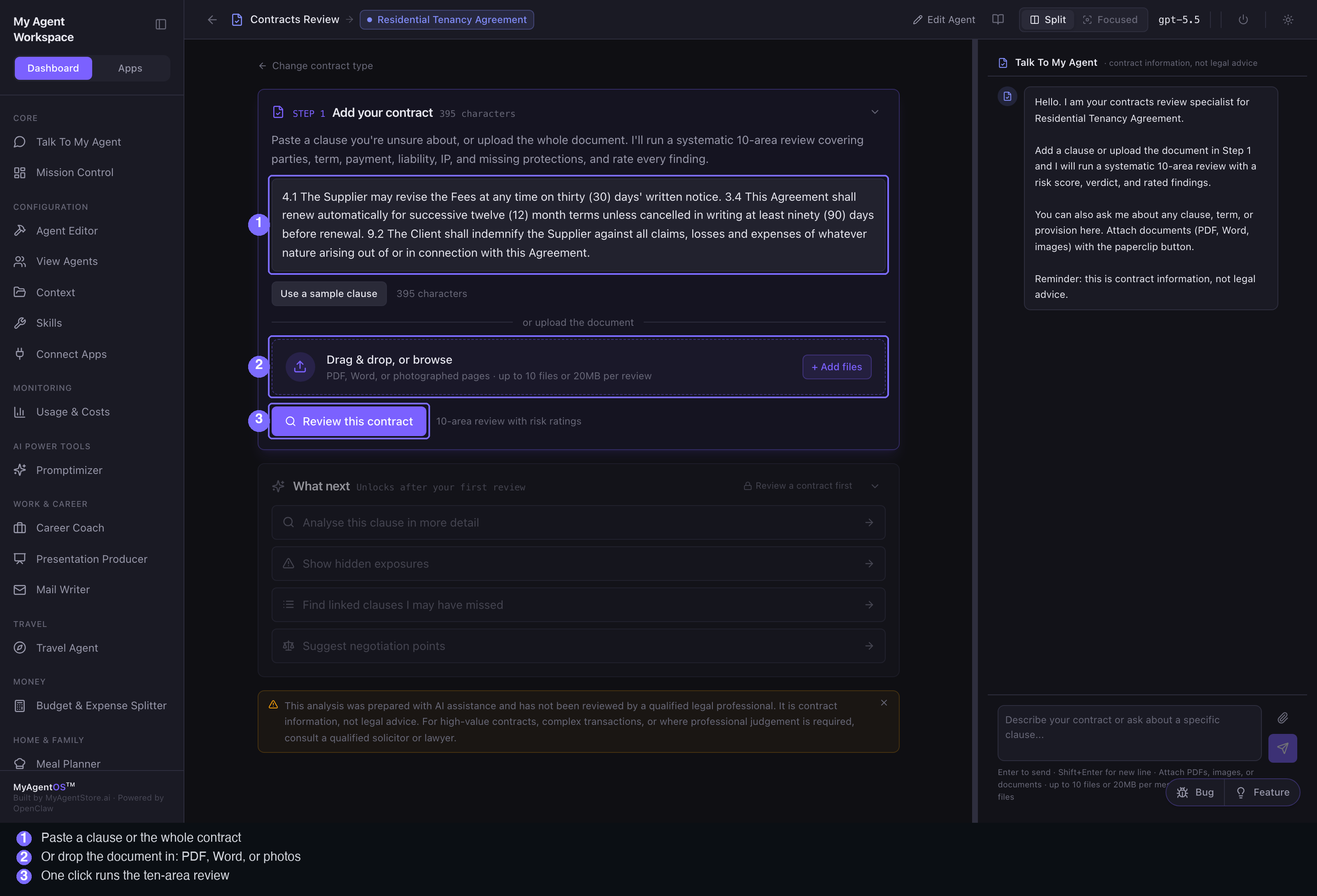
Add your contract and run the review
On STEP 1 · Add your contract:
- Paste a clause or the full contract text, or drag and drop the document itself: PDF, Word, or photographed pages, up to 10 files per review.
- Click Review this contract and the agent works through the ten areas, narrating as it goes: reading the contract, mapping the review areas, rating clause risk, checking for missing protections.
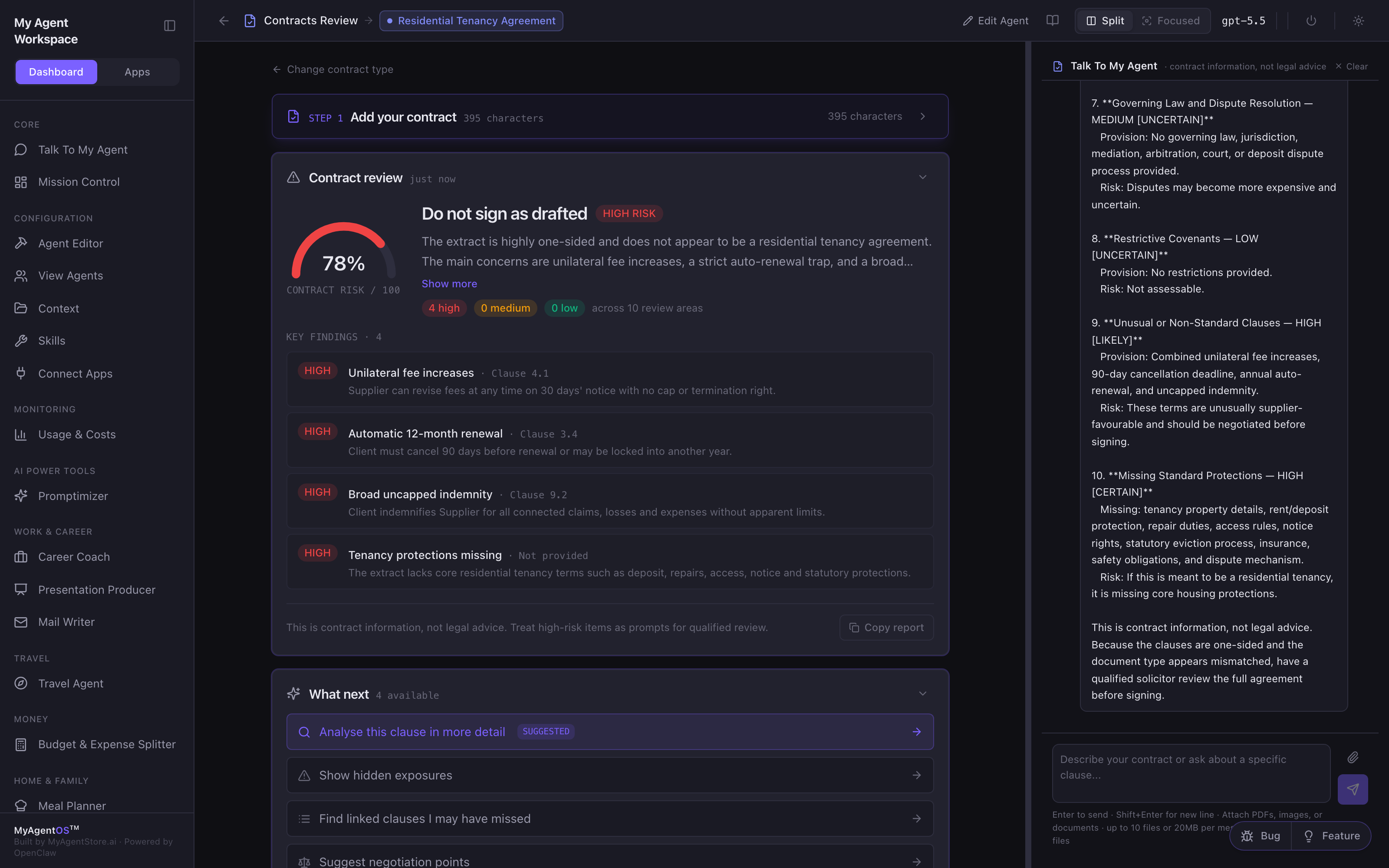
The result
The Contract review panel returns:
- A contract risk score out of 100, banded low, medium, or high, with a verdict such as "Negotiate before signing".
- Severity counts across the ten areas.
- Key findings: each with a HIGH / MEDIUM / LOW pill, the clause reference, and a one-line explanation.
- Copy report to take the whole thing elsewhere.
What next
Once a review exists, four follow-up actions unlock, each answered with the review in context: analyse a clause in more detail, show hidden exposures, find linked clauses you may have missed, and suggest negotiation points. The Talk To My Agent chat keeps the whole contract in context for anything else, and takes attachments.
Limits and FAQ
Is this legal advice? No. It is contract information to help you read and negotiate; for consequential agreements, have a qualified professional review the final text.
What can I upload? PDF, Word, or photographed pages: up to 10 files or 20MB per review.
Do I have to upload anything? No: pasting the text, or even a single clause, is enough to run a review or ask a question.
Which model does the reviewing? Whichever model the lane is configured to use (visible in the top bar).