Usage & Costs
Every AI request your workspace makes, broken down by model, by agent and by channel, with a daily spend cap you set yourself.
Usage & Costs is the meter. It records each call your agents make through the gateway (including dashboard chat), through Telegram, and through scheduled jobs, with the tokens used, the time taken, and an estimated cost at API rates.
Two things people use it for:
- A sanity check: after a busy week, seeing which agent and which model actually consumed the budget.
- A guardrail: setting a daily cap so a runaway loop stops rather than spends.
Who it is for: anyone paying per token, and anyone who simply wants to know what their agents are doing. On a subscription, read the note at the top first (see below); it changes how much of this page applies to you.
Where to find it: the sidebar, under Monitoring: Usage & Costs
(/usage).
Watch first: usage-and-costs.mp4 (captions toggleable in your player, or load usage-and-costs.srt). The screen is a real recording of the product; the narration is an AI-generated voice.
Subscription or API key: read this first
The note at the top of the page is the one that decides how to read everything below it:
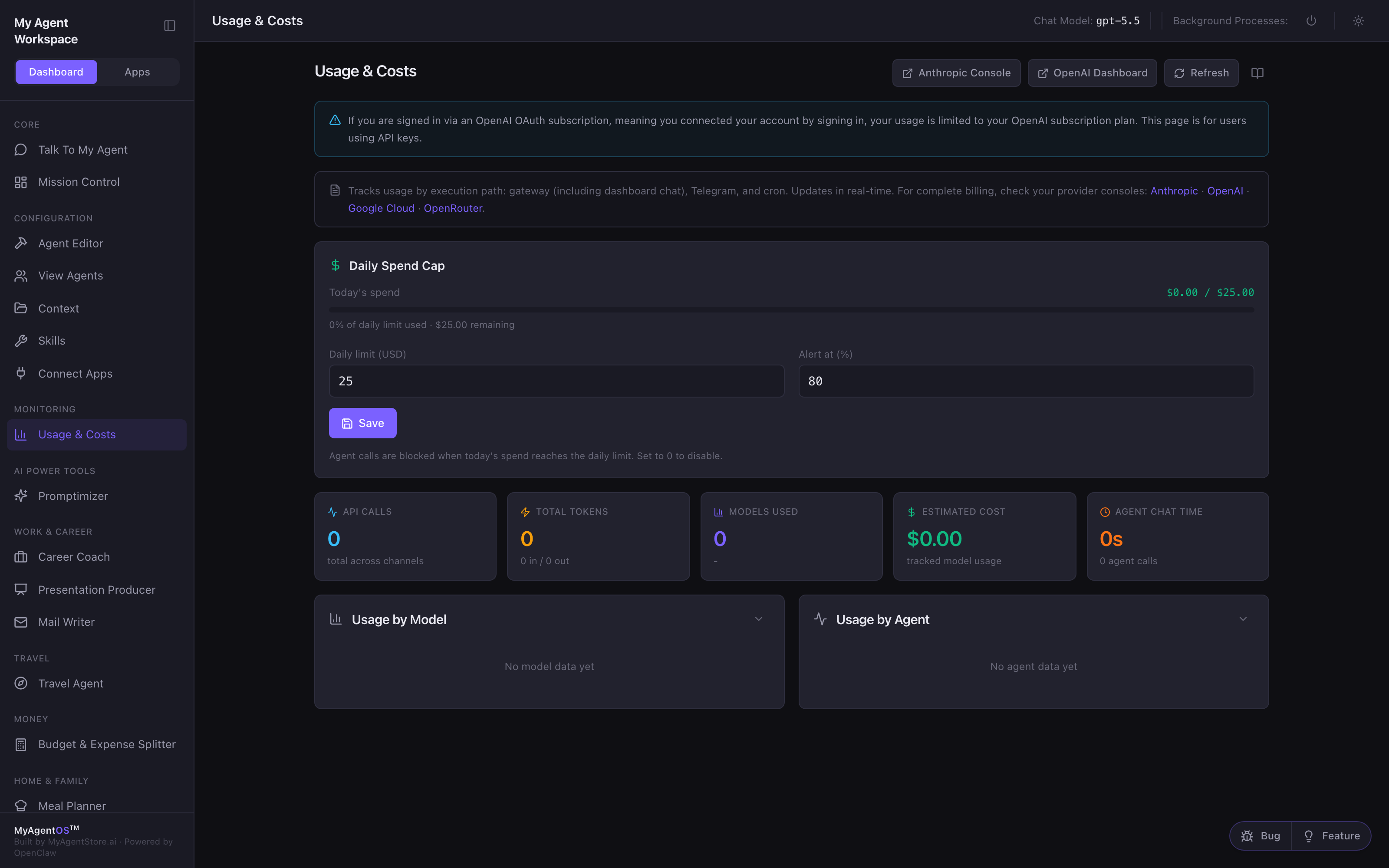
If you are signed in via an OpenAI OAuth subscription, meaning you connected your account by signing in, your usage is limited to your OpenAI subscription plan. This page is for users using API keys.
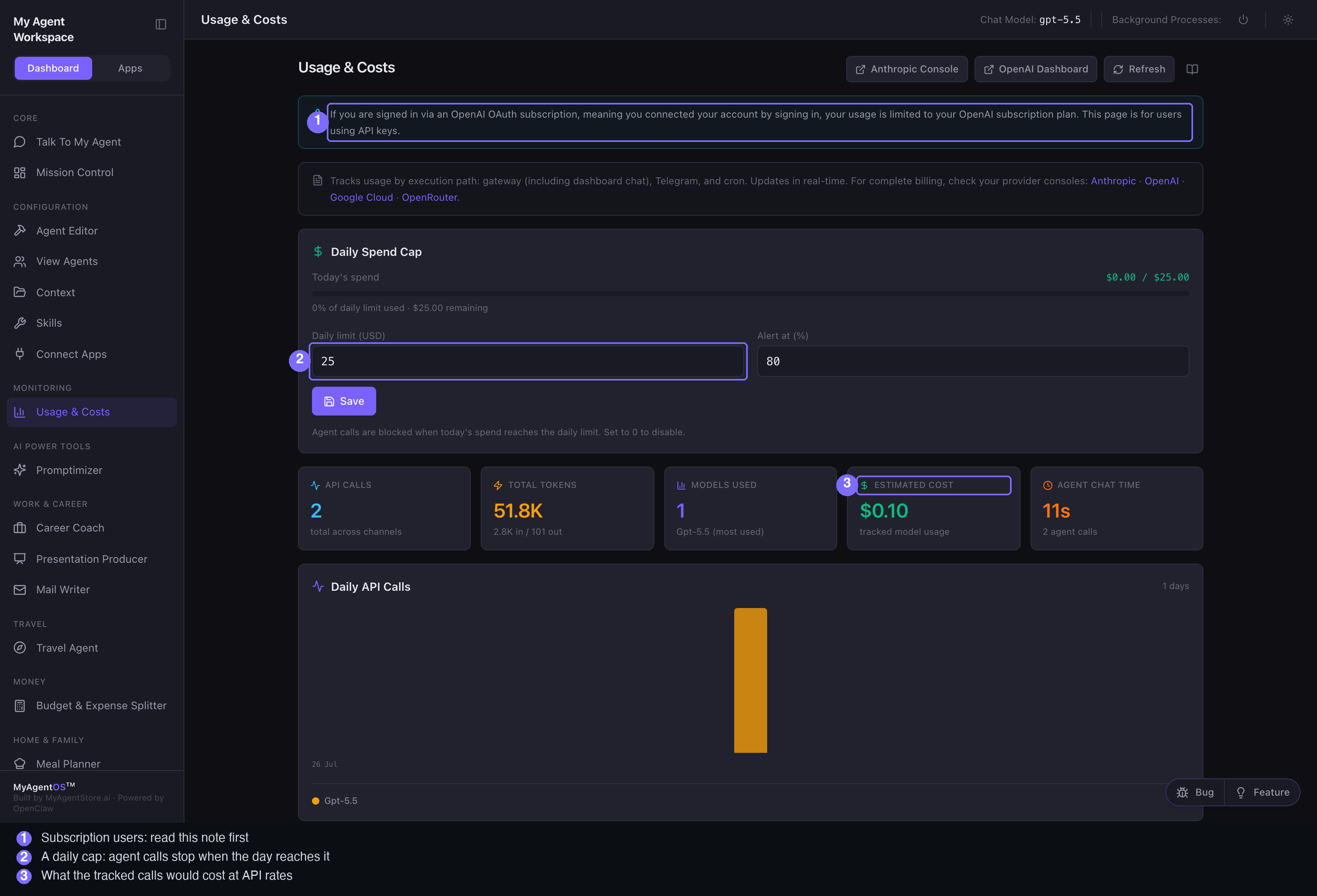
On a subscription, your calls are covered by the plan you already pay for. Today's spend therefore stays at $0.00 while Estimated Cost still prices the work: that figure is what those calls would have cost at API rates, which is useful as a measure of how much work you are getting, not as a bill.
On API keys, both figures are real money and the daily cap is a genuine brake.
What the numbers mean
Five cards summarise the period:
- API Calls: how many requests were made, across every channel.
- Total Tokens: the units of text processed, split into input and output.
- Models Used: how many distinct models, and the one used most.
- Estimated Cost: what the tracked calls price out at.
- Agent Chat Time: how long your agents spent working on dashboard calls.
Below them, once there is something to draw, are daily charts for calls and tokens, then the breakdowns.
The breakdowns
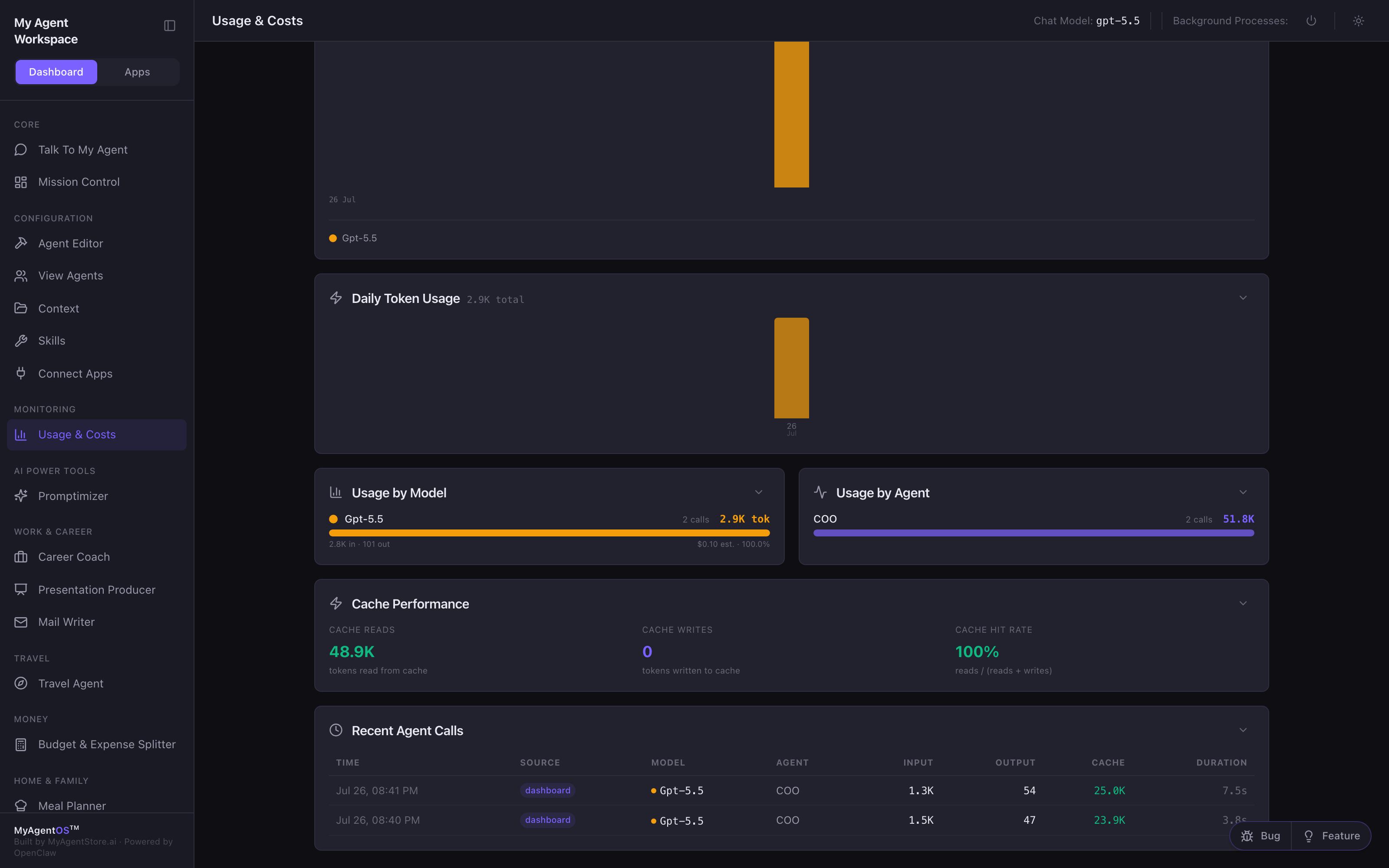
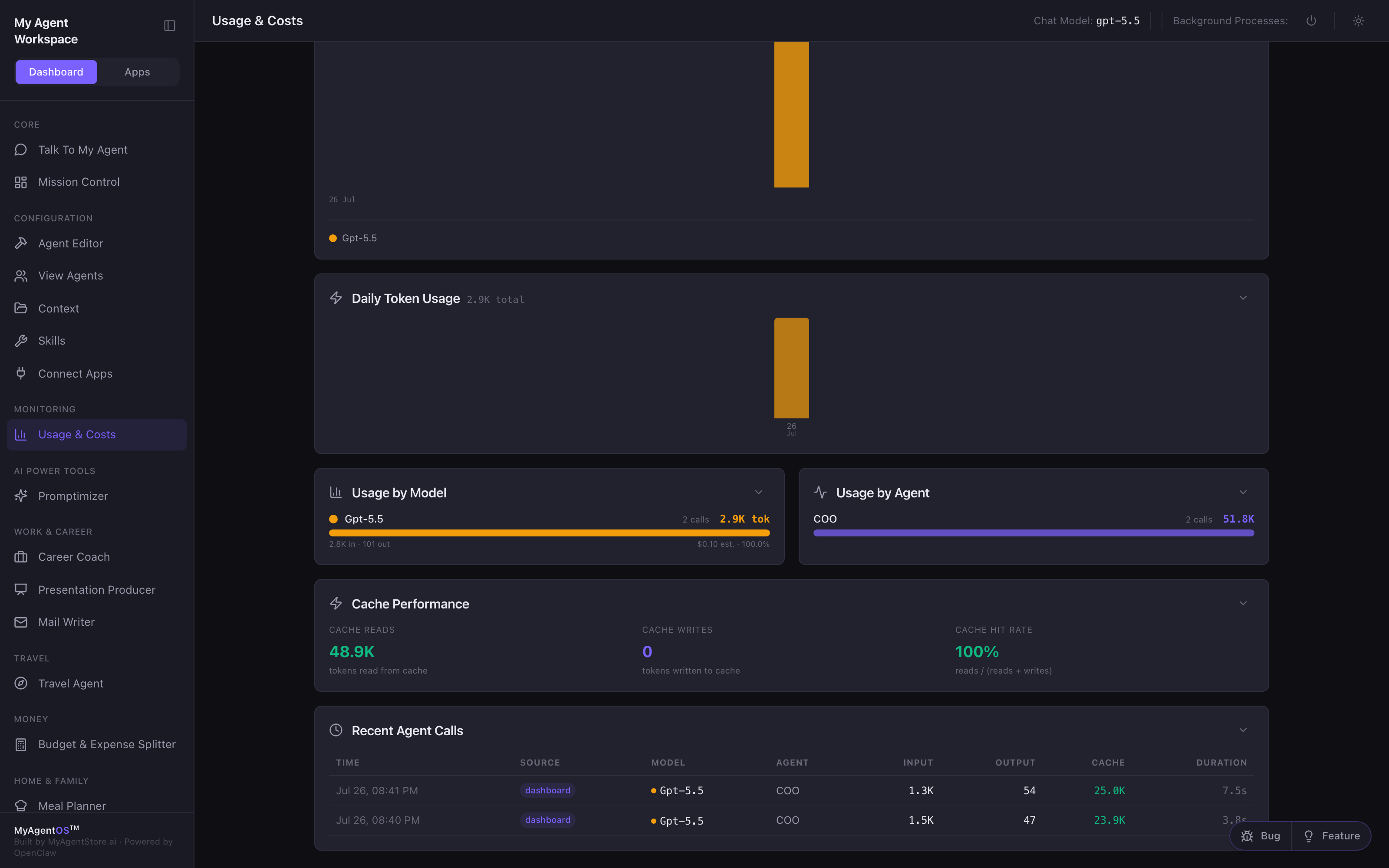
- Usage by Model shows the share each model took, with its calls, tokens and estimated cost.
- Usage by Agent shows which agent did the work.
- Cache Performance shows how much was read from cache rather than reprocessed. A high cache hit rate is a cost saving you did not have to make.
- Recent Agent Calls is the raw list: time, source, model, agent, input and
output tokens, cache, and duration. A dashboard chat message shows as source
dashboard.
The daily spend cap
At the top of the page:
- Set Daily limit (USD) to the most you want spent in a day.
- Set Alert at (%) to when you want warning; you get a notification at that share of the limit.
- Select Save.
A progress bar then shows today's spend against the limit. Agent calls are blocked when today's spend reaches the daily limit, and resume the next day or as soon as you raise the limit. Set the limit to 0 to turn the cap off entirely.
Limits and FAQ
Why is Today's spend zero when Estimated Cost is not? Because you are on a subscription. Subscription-backed calls are not metered as spend; the estimate still prices them at API rates. See the note at the top of the page.
Where does the data come from? From your own workspace: the product records each call as it makes it. Nothing is fetched from your provider's billing account, which is why the page also links to the Anthropic and OpenAI consoles for authoritative billing.
Why is my chart a single bar? Because all the recorded calls fall on one date. It fills out as the days pass.
Does the cap cover everything? It covers agent calls made through the channels this page tracks. Provider-side billing (what your account is actually charged) is always the final word, which is why the console links are there.
Can I clear the history? The page shows what the product has recorded. It keeps the most recent entries and rolls older ones off as new work comes in.