Scammer Detector
Paste a message you are unsure about; get a plain, evidenced verdict.
The Scammer Detector checks a suspicious text, email, or DM and tells you plainly whether it is safe. It reads the sender, the language, and the links, scores the scam likelihood, names each red flag with the evidence behind it, and gives you the safe next steps, including who to report it to. It is built for the moment of doubt, before you click.
What you might use it for:
- A "parcel held, pay a small fee" text: paste it in and get an immediate verdict, the specific red flags (a lookalike domain, manufactured urgency, a request for card details), and what to do instead.
- An unexpected email from your "bank": check the sender and links before you act, and get a safe reply to send if you want to respond.
Who it is for: anyone who receives a message that feels off and wants a second opinion they can trust, in plain English, in seconds.
Where to find it: the sidebar, under Home & Family: Scammer Detector
(/scammer-detector).
Watch first: scammer-detector.mp4 (captions toggleable in your player, or load scammer-detector.srt). The screen is a real recording of the product; the narration is an AI-generated voice.
Assess a message
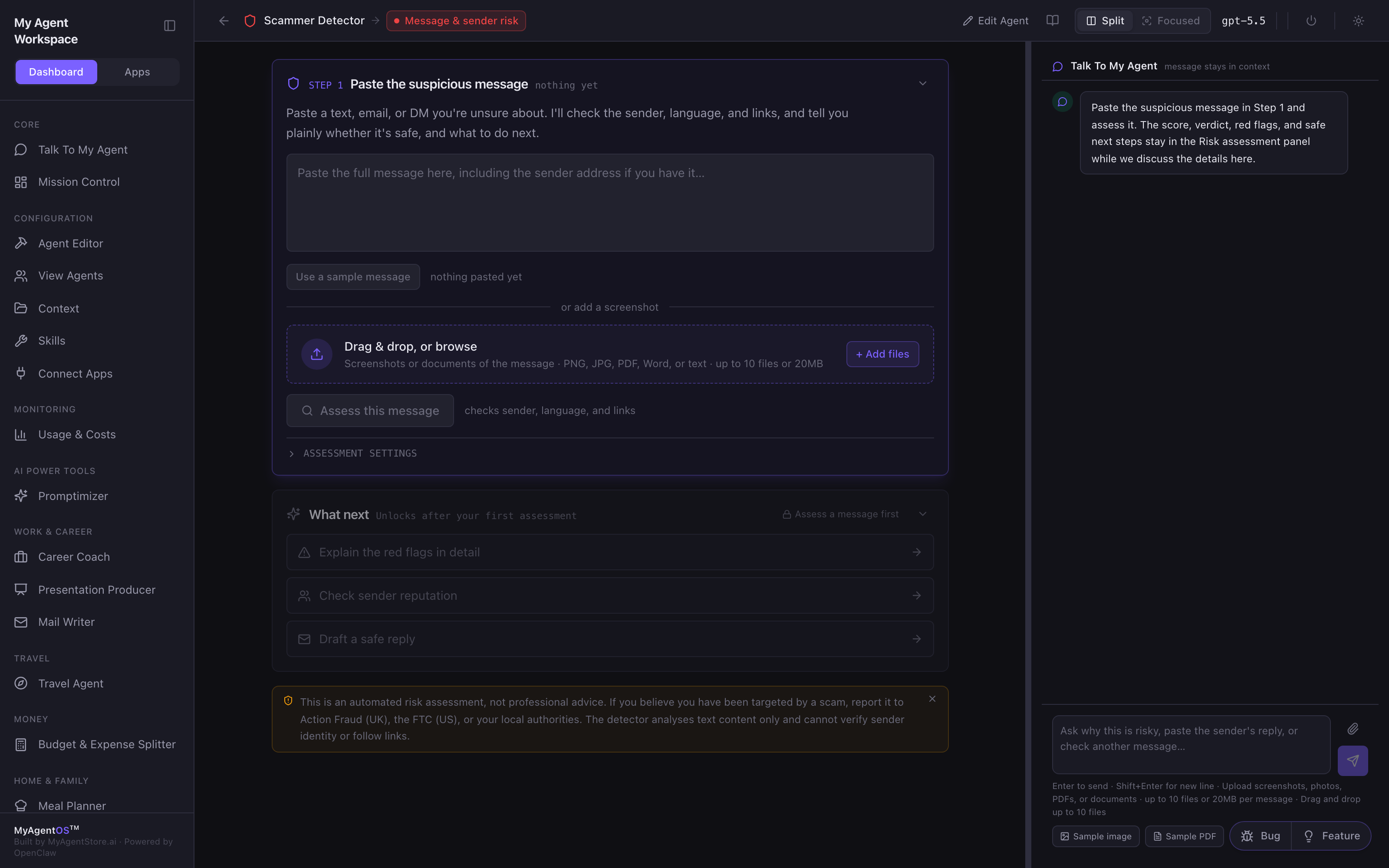
- In Step 1, paste the full message, including the sender address if you have it. You can also add a screenshot or document (PNG, JPG, PDF, Word), or click Use a sample message to try it.
- Click Assess this message. The agent checks the sender, the language, and the links.
Read the risk assessment
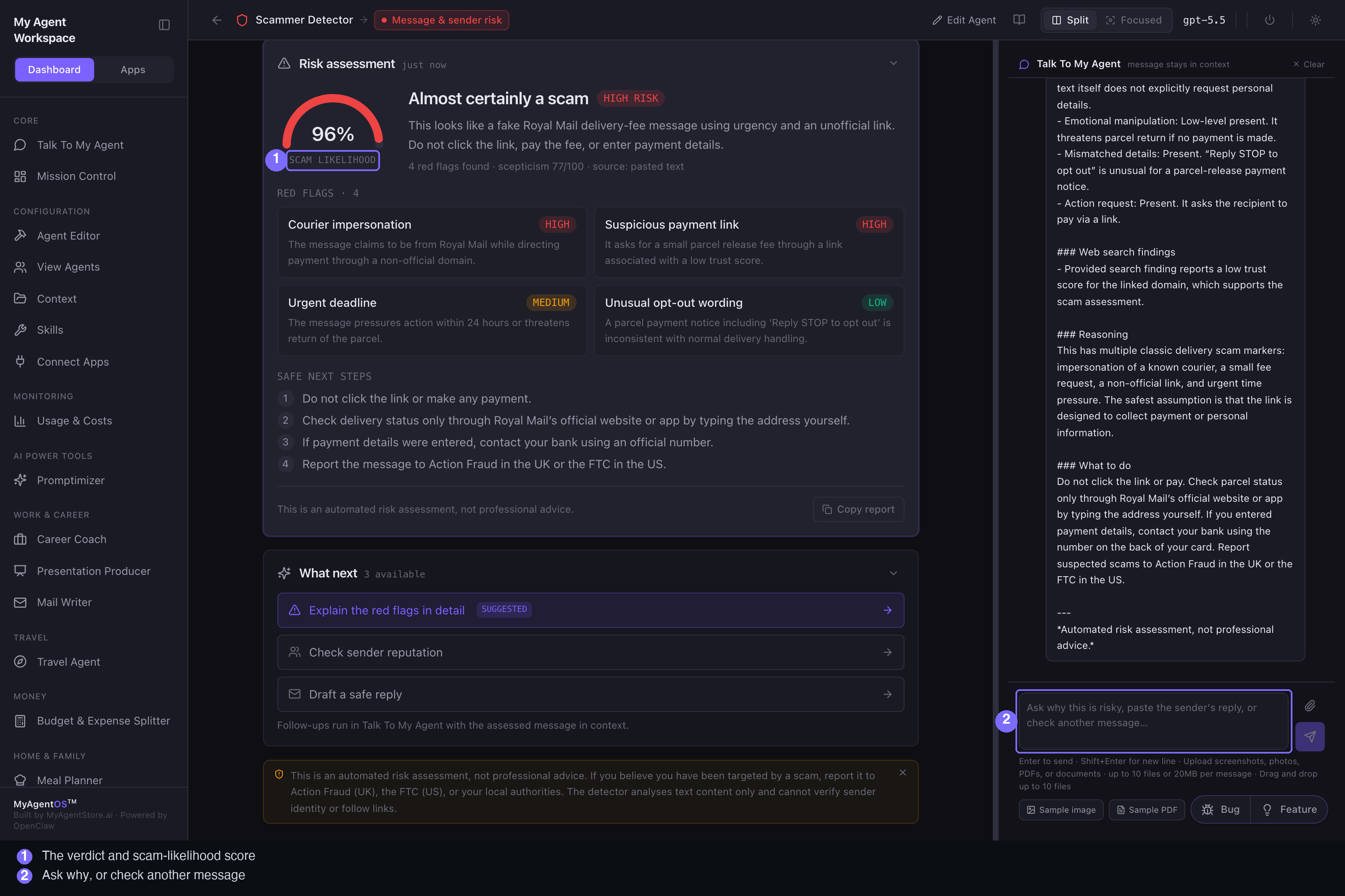
The Risk assessment panel gives you, in order:
- A verdict and a scam-likelihood score out of 100, with a risk band (a gauge shows it at a glance).
- A short, plain-English summary of why.
- The red flags, each named and rated (high or medium) with the evidence: the lookalike domain, the artificial urgency, the small-payment lure, the request for personal or card details, and so on.
- The safe next steps: what to do, who to report it to, and how to check the genuine service safely.
Copy report puts the whole assessment on your clipboard.
Go deeper, or ask why
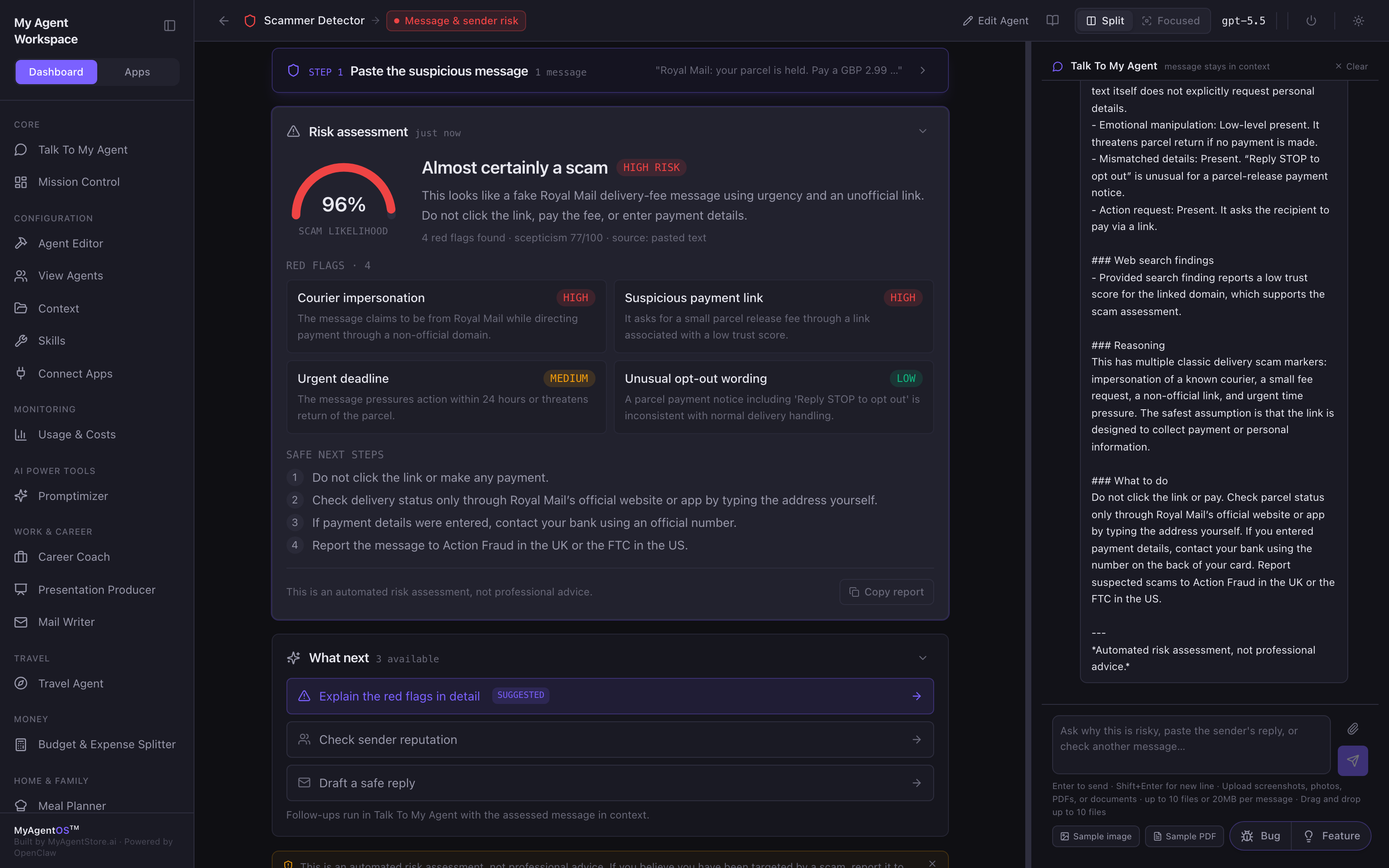
Once you have an assessment, What next unlocks three follow-ups: Explain the red flags in detail, Check sender reputation, and Draft a safe reply. You can also just ask in the chat on the right ("why is the domain a red flag?", or paste the sender's reply and ask what to do). The risk report stays put in its panel while you discuss the details.
Limits and FAQ
Is this professional or legal advice? No. Every assessment carries the line "automated risk assessment, not professional advice." Treat it as a fast, well- evidenced second opinion, not a substitute for reporting a scam to the proper authorities (in the UK, Action Fraud and the 7726 SMS shortcut; elsewhere, your local equivalent).
Does it click the links? No. It assesses the message text and any files you add; it does not visit the links. You should not click them either, which is rather the point.
What can I upload? Screenshots, photos, PDFs, or documents of the message, up to ten files or 20 MB per message.
Which model assesses it? Whichever model the lane is configured to use (visible in the top bar).