Tax Filing Assistant
Pick your form, ask your question, get an answer with sources and a confidence score.
The Tax Filing Assistant answers filing questions against the actual form you are dealing with. Pick a jurisdiction and form, ask in plain language, and the answer comes back with a certainty label, the official source it checked, and a confidence score you can see the workings of. It provides guidance, not filing services: it never submits anything on your behalf.
What you might use it for:
- "Which boxes matter for me?": ask about a specific field on your form and get a sourced, certainty-labelled answer.
- A cross-border year: moved country mid-year and unsure which deadline or regime applies? Ask exactly that.
Who it is for: anyone facing a tax form without a tax adviser on call: employees with a side income, movers between countries, and first-time filers.
Where to find it: the sidebar, under Money: Tax Filing Assistant
(/tax-filing).
Watch first: tax-filing-assistant.mp4 (captions toggleable in your player, or load tax-filing-assistant.srt). The screen is a real recording of the product; the narration is an AI-generated voice.
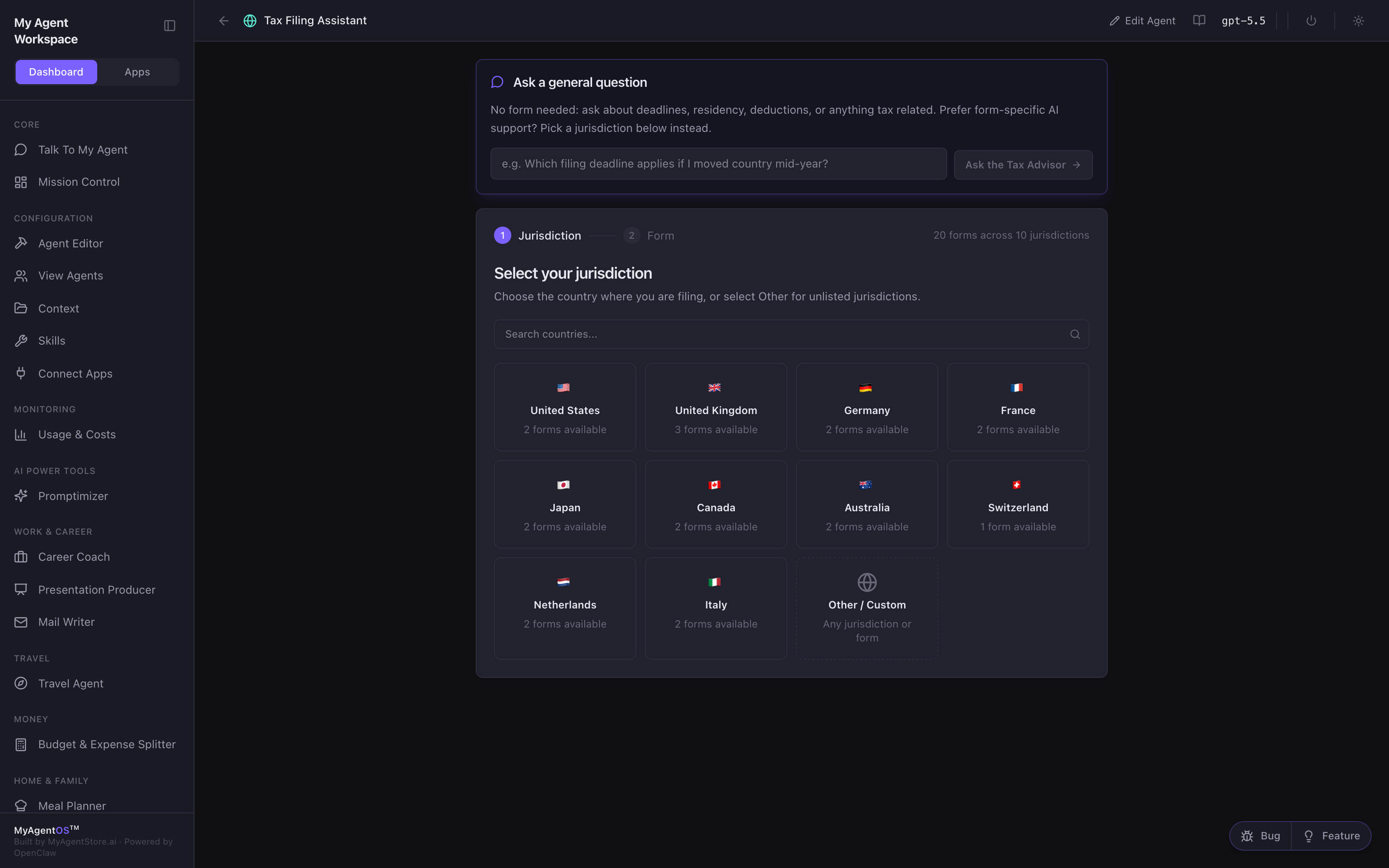
Choose your jurisdiction and form
The entry screen offers two ways in:
- Ask a general question: no form needed; deadlines, residency, deductions, anything tax-related.
- Select your jurisdiction: ten countries, each with its common personal and corporate forms: from the UK's SA100 Self Assessment to Geneva's DRIS / TOU tax-at-source forms. Every form carries AI support; newer packs are marked with their coverage level. Add custom form reads a photo, PDF, or Word copy of anything else.
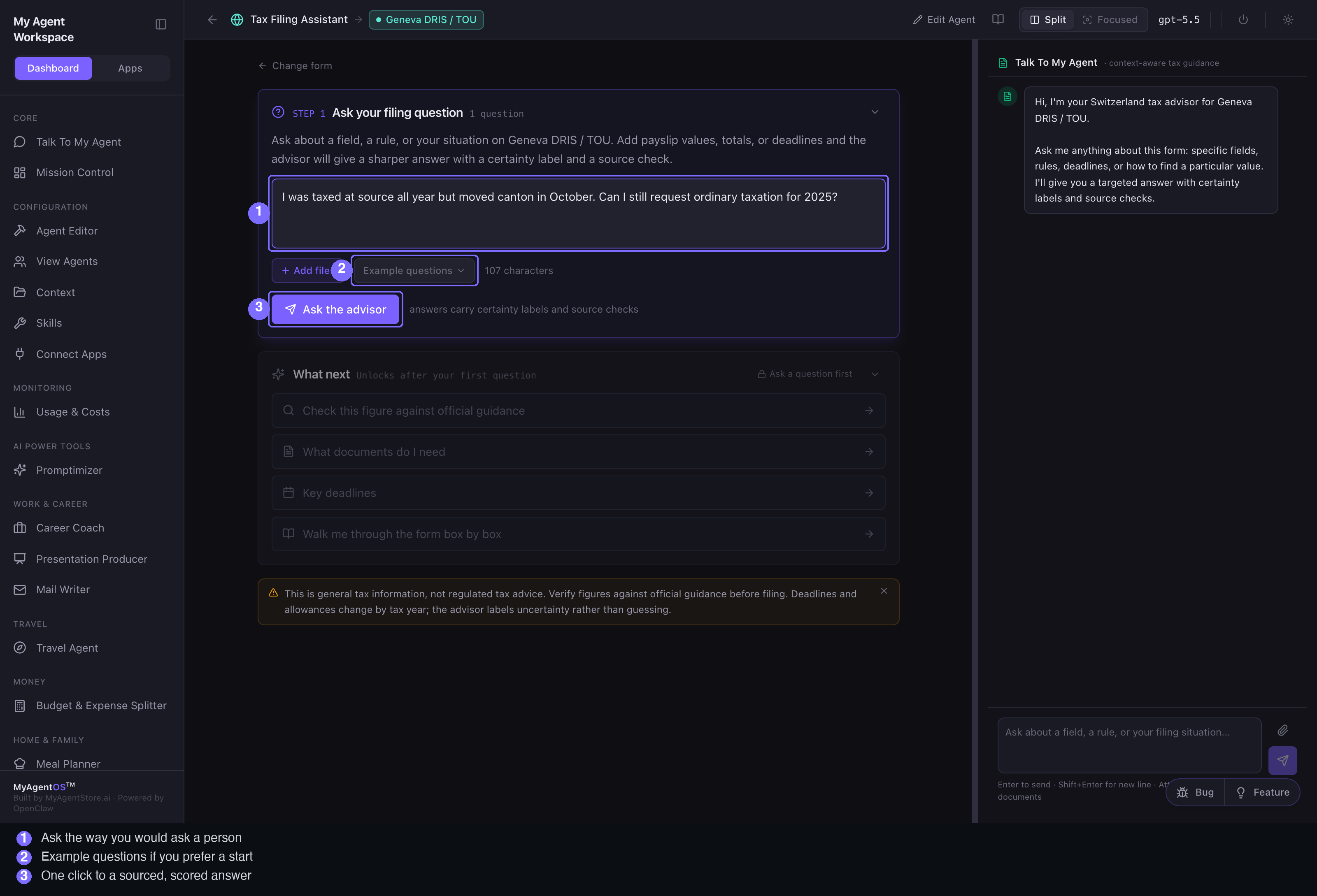
Ask your filing question
On the form's work surface, STEP 1 · Ask your filing question:
- Type the question the way you would ask a person, or pick one of the example questions.
- Add files to ground the answer in your own documents.
- Click Ask the advisor. The agent reads your question, matches it to the form, checks official guidance, and labels its certainty.
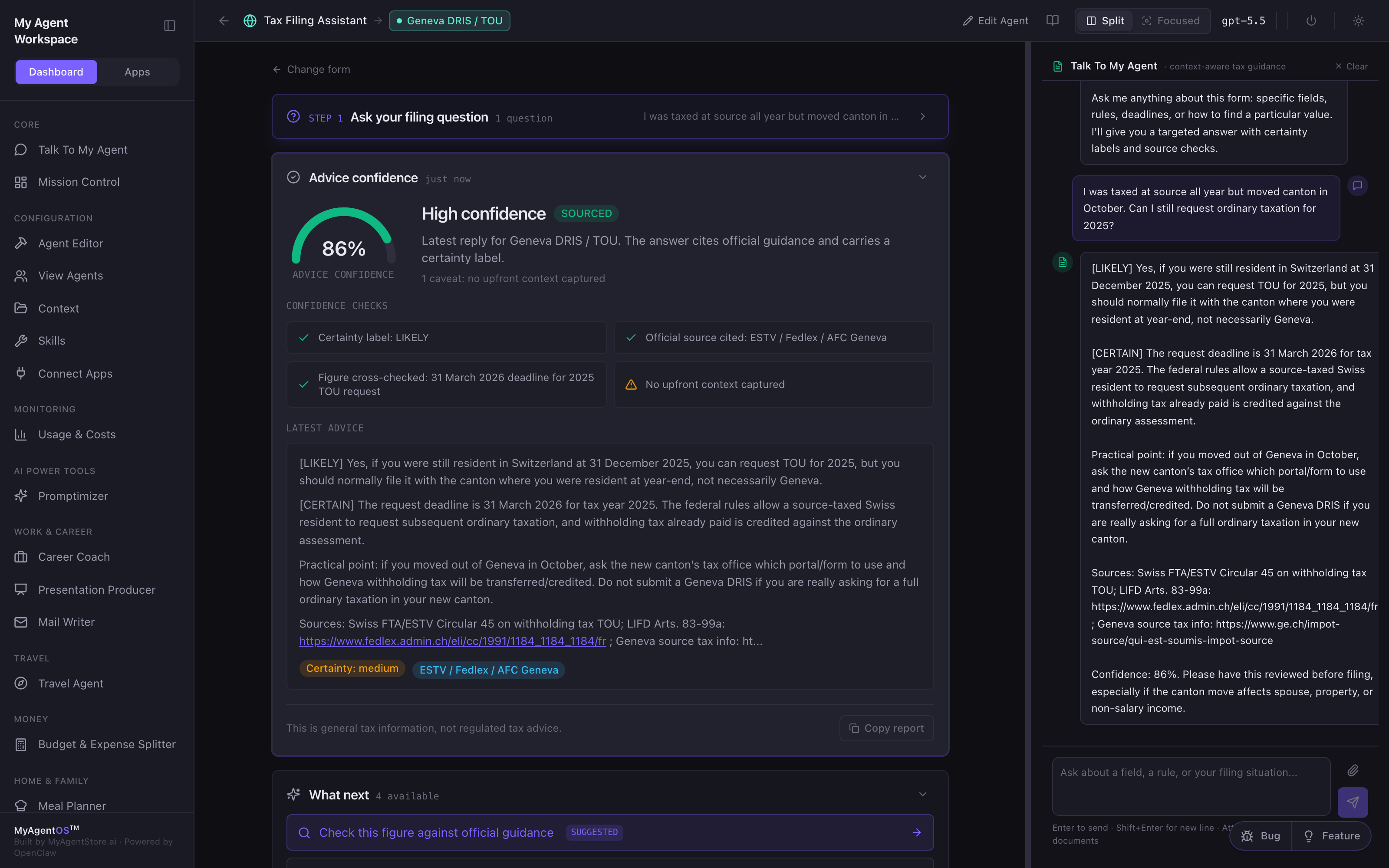
Advice confidence
Every answer arrives scored:
- A confidence gauge with a verdict: high confidence, verify before relying, or low confidence.
- A SOURCED pill when an official source is cited.
- Four confidence checks: certainty label, official source cited, figure cross-checked, and upfront context captured.
- The advice itself, with a Copy report button.
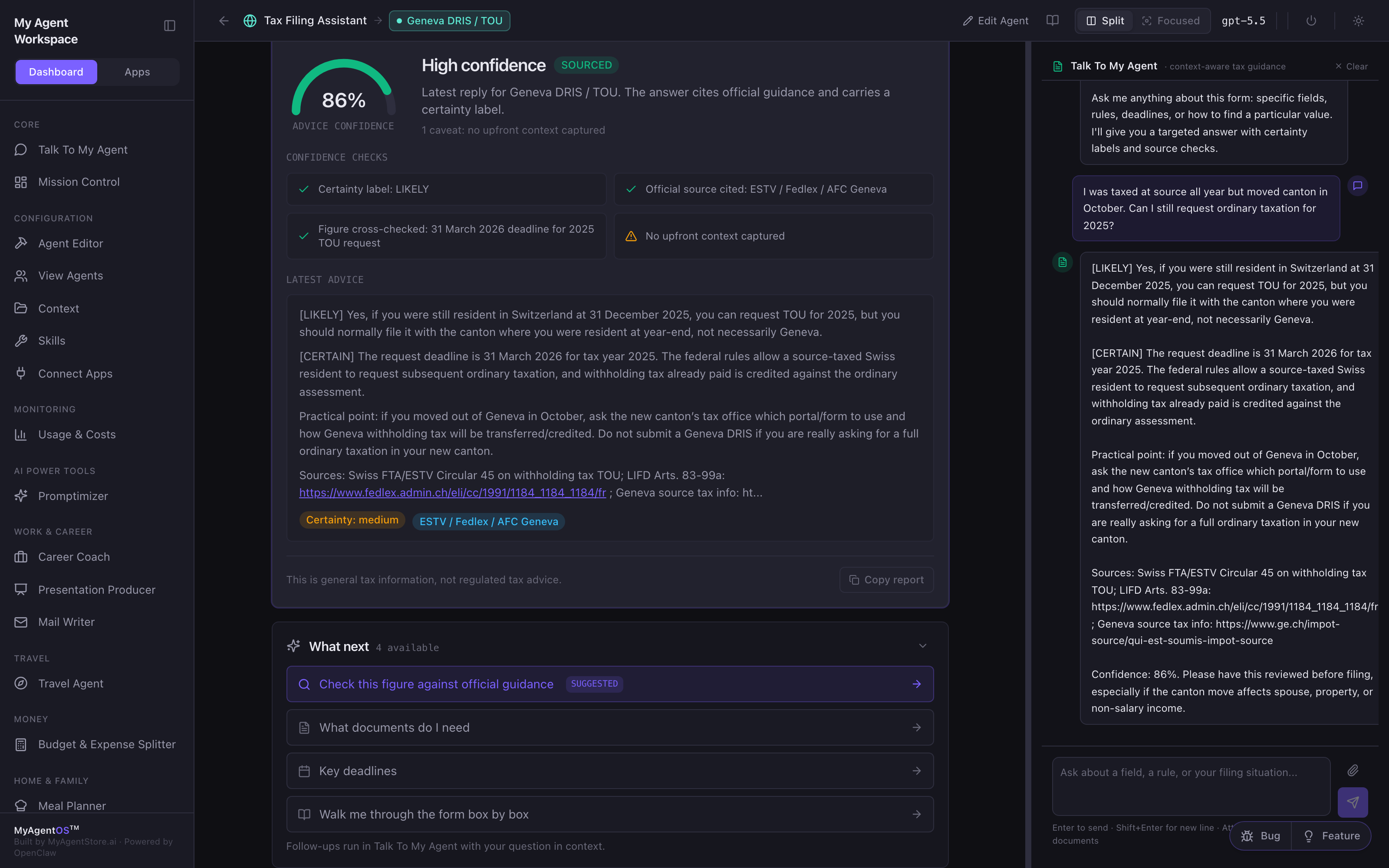
What next
After the first answer, four follow-ups unlock: check a figure against the official authority, list the documents you need, key deadlines, and a box-by-box walkthrough that continues in the Talk To My Agent chat, which keeps your form and situation in context.
Limits and FAQ
Does it file for me? No. It explains, checks, and prepares you; the filing itself stays in your hands on the official channel.
How current is the guidance? Answers are checked against official guidance and labelled with certainty; where the assistant is not certain, it says so rather than guessing. Treat low-confidence answers as prompts to verify.
What about forms you do not cover? Other / Custom identifies a form from a photo or document copy and helps from there; newer packs are marked "Early coverage" while their built-in guidance is still growing.
Which model does the answering? Whichever model the lane is configured to use (visible in the top bar).